
Online poster maker with AI built in
With Pendid's online poster maker, you can go from a simple idea to a publish-ready poster. Whether you're introducing a product, announcing a discount, creating seasonal content, promoting an event or making content for social media, it all happens in one simple, online workspace.
Pendid helps you pick the right template, swap in your own text and images, match the colors to your brand, and — when you need it — lean on AI for ideas, copy and imagery.
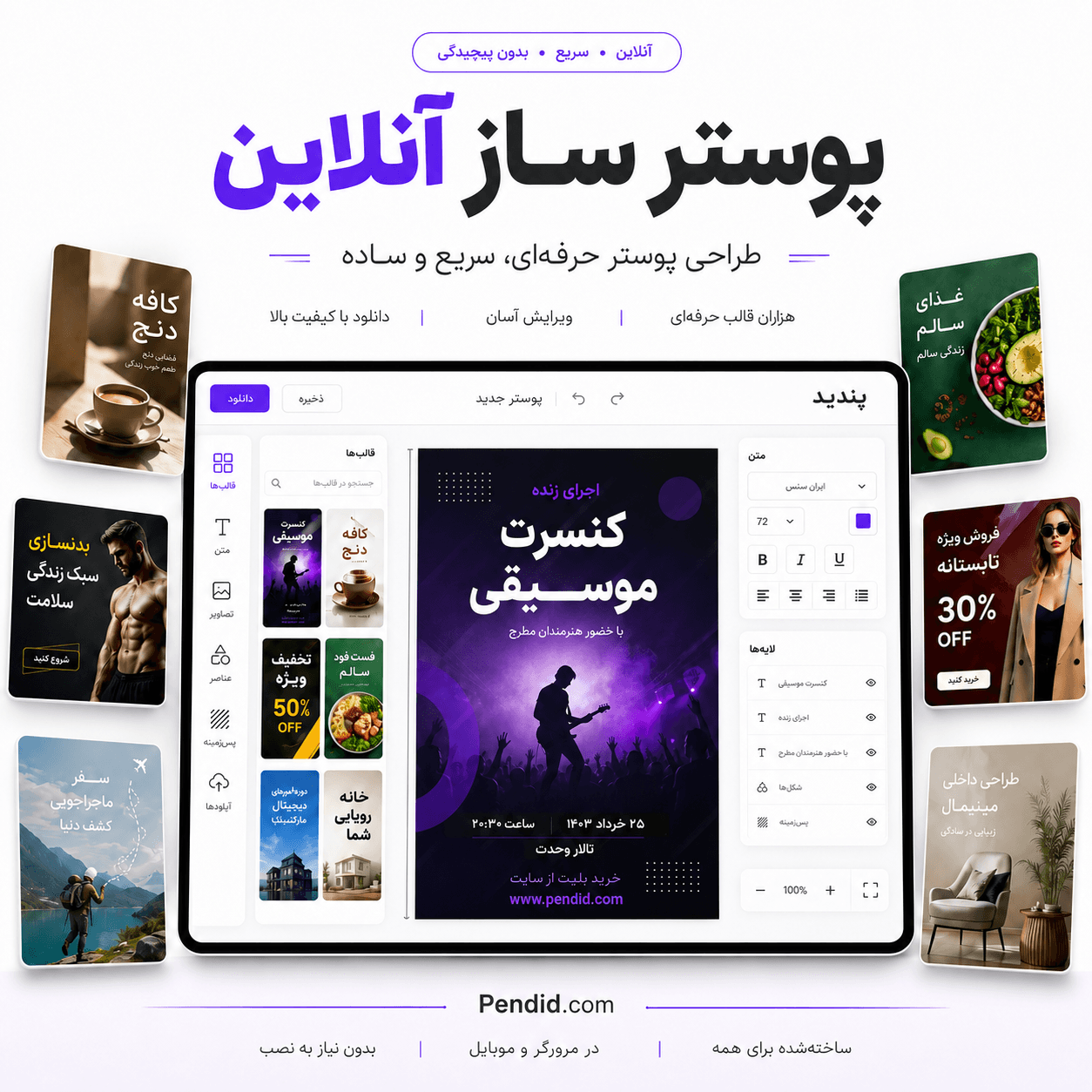
What is an online poster maker, and what is it for?
In short: an online poster maker lets you design a poster right in your browser. Instead of starting from scratch, you begin with a ready-made template, simple editing tools and built-in AI.
A poster is still one of the fastest ways to get a message across. A good poster can make a discount clear, introduce a product, announce an event, or convey a quick teaching point in just a few seconds.
These days, posters aren't just for print. Many of them live on Instagram, websites, channels, messaging apps, online ads and store pages. That's why speed, readable text and a professional look matter so much.
Pendid's online poster maker is built for exactly that: to help you move from idea to finished output faster, without getting stuck in complicated design steps.
Why Pendid's online poster maker is a good choice
Pendid's goal is to make poster design simpler, faster and more accessible. You don't have to be a professional designer — you just need to know your message and place it in a well-organized layout.
Everything happens in your browser. All you need to get started is an account and an idea.
Begin from a ready-made template and change the text, images, colors and composition.
Built for editable text, adjustable layouts and the everyday needs of growing businesses.
Use AI for ideas, promotional copy, imagery and a faster head start on your design.
Designing posters with AI in Pendid
When AI helps most: when you have an idea but don't want to start your design from a blank page.
AI can help you write a headline, promotional copy or a tagline, come up with a visual concept, and generate an image that fits your poster.
Just tell it what the poster is about — a product discount, a class you're promoting, a service you're advertising, or an event you're announcing. From there, you can edit the suggested output and adjust the text, images, colors and layout to match exactly what you need.
This approach works well for sale posters, product posters, educational posters, event posters, seasonal posters and social media content. You stay in full control of the final result — you just get there faster.

Simple, fast and editable poster design
A lot of people just want a tidy, readable, usable poster — without spending a long time preparing a simple layout. Pendid shortens exactly that path.
In Pendid, you can type your text, add an image, change the colors and move design elements around. This works especially well for businesses that regularly need sale posters, notices, product announcements or social media content.
Simple design doesn't mean weak results. A good poster needs a clear message, readable text, a tidy look, and a point the viewer grasps in just a few seconds.
Make a professional poster more easily. Start from a ready-made template and adjust the design to fit your brand.
What kinds of posters can you make with Pendid?
Pendid is built for creating all kinds of practical posters — from advertising and retail posters to educational, seasonal, event and social media designs.
For introducing a brand, product, service, sales campaign or a short advertising message.
For announcing a sale, a special offer, a limited-time deal, and grabbing attention fast.
For showing a product, its price, its features and the store's key messages.
For a conference, workshop, webinar, opening or gathering.
For sharing a teaching point, promoting a course, or explaining a topic.
For showing the benefits, features and key details of a product or service.
For special occasions, seasonal campaigns and brand communication.
For publishing on Instagram, websites, channels and messaging apps.
Steps to make a poster online in Pendid
Making a poster online in Pendid is simple. Decide what the poster is for, start from a template or a new design, and reach a finished output with a few simple changes.
Begin from a ready-made template, or start a brand new design if you already have a clear idea.
Change the text, add images, match the colors and fine-tune the composition.
Use AI for a headline, promotional copy, a visual idea, or simply a faster start.
Get your finished poster and use it on the web, social media, advertising or in print.

An online poster maker for business and social media
Stores, service pages, instructors, event organizers and content creators all need different posters. A store might want a sale poster, an instructor an educational poster, and a service business a poster introducing what it offers.
A poster tool becomes valuable when it can handle these different needs quickly and simply. In Pendid, you can decide on your message, pick the right template and swap in your own content.
Speed matters a lot for social media, too. When you have a discount, a new product or an event, making a poster quickly helps your message go out sooner — so you don't miss the moment.
How online poster design differs from the old way
The old way of preparing a poster usually takes longer — especially when every small change has to be reviewed and moved around several times. With online design, the path is shorter and your changes show up instantly.
With online poster design, the tools live in your browser, templates are ready to go, and many of the hard steps become simpler. You can change the text, swap an image and get a new output right away.
That difference matters for businesses that need to react quickly. If you have a discount today, it's best to have its poster ready today too. An online poster maker gives you that speed and independence.
Worth remembering: a good poster isn't just pretty — it needs a clear message, a readable layout and a defined goal. Pendid helps you get closer to that kind of output, faster.
Frequently asked questions about Pendid's online poster maker
What is an online poster maker?
An online poster maker is a web-based tool that lets you create promotional, retail, educational or event posters without installing any software. In Pendid, you can start from a ready-made template, edit the text and images, and export an output that is ready to publish.
Can I design posters with AI in Pendid?
Yes. In Pendid, you can use AI to brainstorm ideas, write promotional copy, generate imagery and reach a design faster — then edit the poster to fit your exact needs.
Do I need to be a professional designer to make posters online?
No. Pendid's online poster maker is built for people who want to create a clean, usable poster quickly, simply, and with full control.
Who is Pendid Poster Maker for?
Pendid is a good fit for online stores, Instagram pages, content creators, instructors, event organizers, small businesses, and anyone who needs a publish-ready poster.
Can I create advertising posters with Pendid?
Yes. You can design advertising posters to introduce a product, announce a discount, run a sales campaign, promote a service or event, or share an important notice — and export an output that is ready to publish.
Are the poster outputs suitable for social media?
Yes. You can create posters that fit Instagram, websites, messaging apps, and other social platforms, and use them for online publishing.
Can I resize a poster for different placements?
Yes. You can adapt a poster for different placements — social feeds, stories, website banners or print — by adjusting the layout and output size to fit where it will be used.
How do I get started making a poster?
Just open Pendid Studio, pick a template or start a new design, edit the text and images, and export your finished poster at the end.
Design faster with Pendid's online poster maker
Open Pendid, choose the template you want, get a little help from AI, and create a publish-ready poster.
Start making a poster online