
AI studio portraits from one ordinary photo
Pendid's AI photo studio is built for those moments when you want to turn your own picture into a new image with studio lighting, decor and atmosphere — without wrestling with long prompts. You upload the photo, choose one of the ready-made styles such as kids, newborn, birthday, family, formal or profile, and add a short note if you need to. The system works to preserve the facial identity and the number of people in the image, and once it's generated you can edit that same result either completely or only within a specific area. If your goal is turning a child's photo into a studio portrait, the independent kids style is available for exactly that path.
- Facial identity preserved
- 12 ready-made photographic styles
- Standard and advanced models
- Full or localized editing of the result
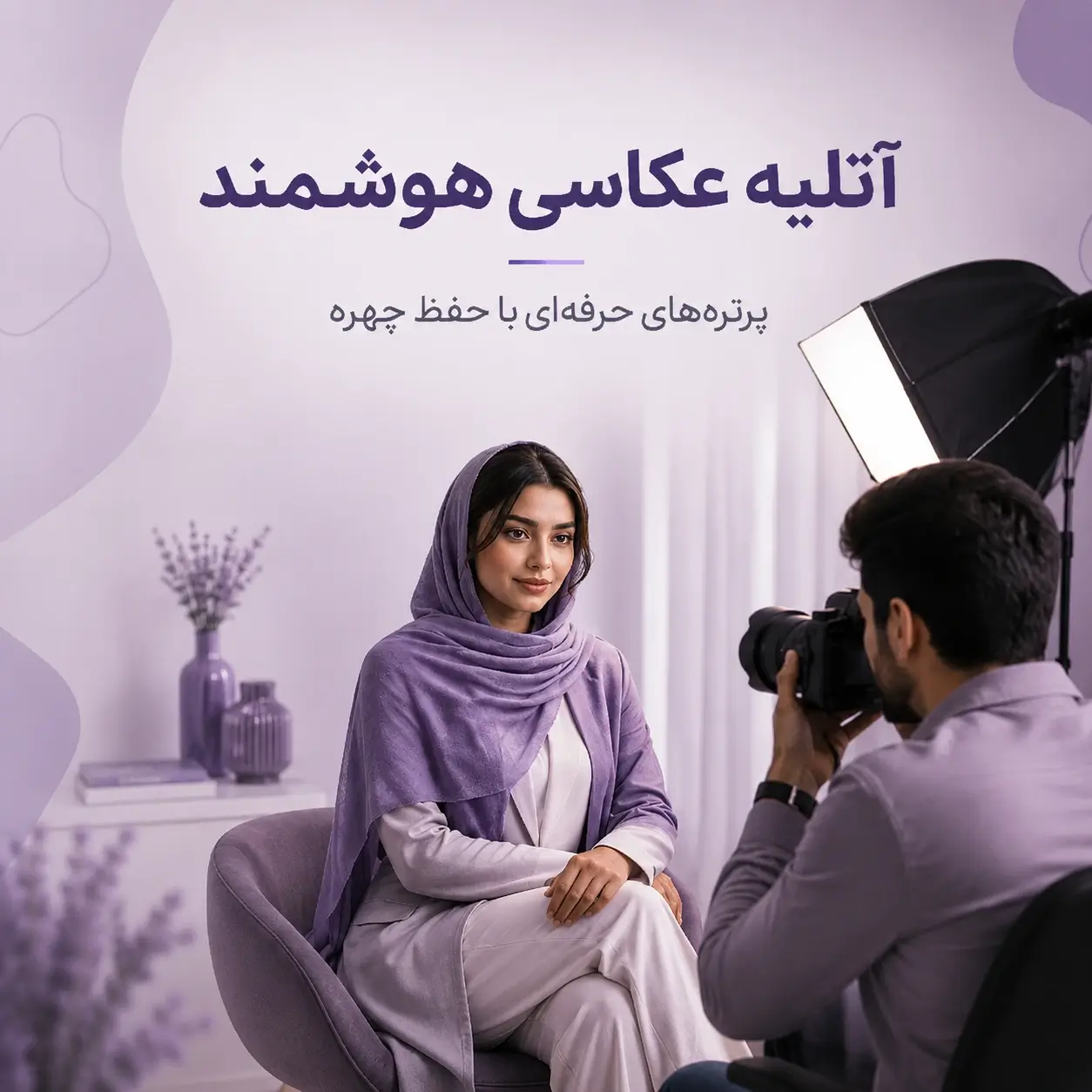
What is an AI photo studio, and what exactly does it do?
An AI photo studio is an image-generation tool based on a reference photo: your real image is the starting point, and the model works to rebuild the same person or people in a fresh photographic setting.
When we talk about creating studio photos with AI, we don't mean simply putting a filter over an image. The model can rebuild the lighting, background, decor, clothing, mood, framing and the entire feel of the picture. The key difference from a simple edit is that the result can look like a photo captured in a new scene — not just an image whose background was swapped out.
As appealing as that capability is, it comes with a serious challenge: if the model is given too much freedom, it may change the face, add another person to the image, or place the subject on the background in a way that feels cut-and-pasted. That's why the logic behind Pendid's studio isn't only about beauty; its internal rules also attend to preserving identity, preserving the number of people, and keeping the lighting and scene coherent.
The short version: your photo is the identity reference, the chosen style sets the artistic direction, and your short note can add the specific details you want to the result.
The aim is for the final image to still be the same recognizable person from the input photo — not a generic, simulated-looking face.
Light, shadow, color and depth need to work with the subject so the result reads as a single unified photograph.
After generating, you can edit that same image and, if needed, target just one part of it.
How does Pendid create AI studio photos?
The process is deliberately simple. You shouldn't have to study lens types, light intensity, focal length or the structure of a professional prompt just to get a good portrait. Those details are managed at the style and system level, and you only make the main decisions.
From choosing a style to editing that same output
To get started, you enter the studio, look through the style samples and pick the one closest to your goal. Then you send your image and, if you want, add a short description.
- Choose one of the ready-made studio styles
- Upload your original image as the identity reference
- Write an optional short note for the details you want
- Generate, review the result and continue in edit mode

 BeforeAfter
From the studio gallery, open a style such as birthday, family, formal, profile, kids or wedding.
Choose a clear image; this is the main reference for the identity and the number of people in the output.
For example: "a bright, minimal background," "more formal clothing" or "a warm, family atmosphere."
After generation, that same output moves into edit mode, so you don't have to start over for every correction.
Preserving the face matters more than making the image prettier
One of the most common problems with AI portrait generation is that the image becomes appealing in terms of light and decor, but the person in it no longer really looks like the person who owns the photo. Changes to face shape, eyes, nose, apparent age or distinctive features can leave a result that looks good visually yet loses its value for personal use.
The aim is to change the setting, not your identity
In Pendid's studio, general identity-preservation instructions are applied separately from the text of each style. So even if the chosen style builds an entirely new environment, the face should stay as recognizable and as close to the original person as possible.
- Preserving the geometry and overall form of the face
- Preserving skin tone, age cues and distinctive features
- Preventing the face from becoming a generic, over-idealized model
- Matching the light and environment without changing identity

 BeforeAfter
The number of people is part of the scene's identity too
If the input photo has one person in it, simply choosing a style named family, mother and child, wedding or engagement should not cause a new person to be created. In the studio's logic, the category name is a photographic style, and the input image determines who appears in the output. This matters a great deal for preventing a spouse, a child, a guest or an imaginary person from being added.
Let's be realistic: image models can still make mistakes. Preserving the face and the number of people is an important goal and rule of the system — not a claim of a hundred-percent guarantee for every image.
12 AI studio styles, from newborn and birthday to formal and profile photos
A good portrait doesn't depend on "high quality" alone. A birthday photo, a formal portrait, a maternity image and a family photo each have a different visual language. That's why, instead of an empty prompt box, Pendid's studio offers defined styles so the starting point of the result is clearer.
Choose the style; leave the technical details to the system
Each style has its own artistic boundaries — but it shouldn't behave like a rigid, repetitive template. Lighting, framing and scene details can vary across different generations, so the results don't look like copies of one fixed image.

 BeforeAfter
A delicate setting, soft light and composition suited to newborn portraits.
For turning an ordinary child photo into a fresh studio portrait with light, decor and a playful setting — focused on preserving the face and keeping the result natural.
A calm, respectful and emotive portrait focused on the light and form of the image.
An intimate setting for mother and child, based only on the people present in the photo.
Warm light and fitting composition without adding imaginary people.
A wedding and ceremony portrait direction that preserves the real people in the input photo.
A more formal, delicate portrait with a setting suited to engagements and ceremonies.
A modern, elegant and professional portrait with controlled lighting.
A tidy, professional look for personal introductions and non-document uses.
Suited to work profiles, professional networks and online personal introductions.
A celebratory setting with birthday color and decor, focused on the main subject.
An artistic transformation into an anime portrait that retains identity cues.
Turning a child's photo into a studio portrait with AI
If you have an ordinary photo of a child and want to transform its setting into a different studio scene without arranging a new photo session, Pendid's AI kids studio style is designed for exactly this scenario. The child's original photo is the identity reference, and AI works to redesign the lighting, decor, clothing and visual setting — without losing sight of the main goal, which is keeping the child's face recognizable.
Phrases like turning a child's photo into a studio portrait with AI usually mean the user already has a real, usable photo, but its background, light or mood doesn't look like a studio photograph. In Pendid, the original photo doesn't need to have been taken in a studio; a clear mobile photo can be the starting point, as long as the child's face is as visible as possible and there's no severe blur or heavy covering of the face.
Give us the child's photo; change the scene and the photographic setting
In the kids style, the input image isn't just for inspiration; that same photo is the main reference for the child's identity and the number of people in the scene. If only one child is present in the image, the result shouldn't add another person just because of a style name or a piece of decor.
- Using the child's real photo as the face and identity reference
- Changing light, decor and setting without long prompt writing
- The option to write a short note such as "a brighter setting" or "simpler decor"
- The option to edit that same output if clothing, color or part of the decor needs correcting
- No need for the original photo to have been taken in a studio

 BeforeAfter
What kind of child photo gives a better result?
For creating an AI studio photo of a child, the most important thing isn't having a professional camera; it's that the model sees enough information about the child's face and pose. Photos where the face is clear, the light is reasonably balanced and the angle is natural usually make better references. If the face is very small, if a hand or object covers a large part of it, or if the photo is severely blurred because the child moved, preserving identity details becomes harder.
Choose a photo where the eyes, the general shape of the face and the child's main features are as visible as possible.
A very dark photo, or one with harsh direct light, can reduce facial information. Ordinary, balanced light is a better starting point.
For a close portrait, a face or half-body photo works well; for outputs where clothing and body pose matter, a wider photo gives more information.
What kind of studio setting can you create for a child's photo?
The kids style can be used for cheerful, simple portraits, bright backgrounds, playful decor and images with a studio-photography feel. If your goal is a specific occasion such as a birthday, Pendid also has an independent birthday style, which is usually the more precise choice for party decor, balloons, occasion colors and a celebratory setting. There's a separate newborn studio style too, so its visual language isn't identical to that of an older child's photo.
Why does preserving a child's face matter even more in this kind of image?
In a child's picture, attractive decor alone isn't enough. If the model changes the face shape, the apparent age or the child's recognizable features too much, even a beautiful image holds less value for the family. That's why Pendid's studio works to keep the input image as the identity reference. This is an important goal of the system, but as with any image-generation model there's no hundred-percent guarantee for every single run, and the output should be reviewed by the user.
What if the result is good but one detail is off?
You don't have to start over from the original photo for every change. After generating, you can take that same child's image into edit mode and change, say, the clothing color, part of the background or the decor. If the problem is only in a small area, localized editing lets you select a specific region and write the change just for that part.
About children's photos: only upload an image you have the right to use and process. For a child's image, choosing and uploading the photo should be done by a parent, guardian or someone otherwise authorized to use that image.
What kind of photo is better suited to becoming a studio portrait?
Input quality has a direct effect on output quality. AI can rebuild the environment and appearance of a photo, but if the face in the original image is very small, blurred or covered, the model has less information available for preserving identity. Your photo doesn't need to be professional; what matters more is that it carries enough visual information.
Clear, natural and without unnecessary complications
- The face should be as clear and recognizable as possible
- Avoid severe motion blur or very low light
- If several people are in the image, each face is better off visible
- Large sunglasses, a mask or heavy face covering can reduce identity accuracy
- For a more natural result, don't choose a photo shot from a very unusual angle
BeforeAfter
Does the input photo's background need to be simple?
Not necessarily. Because the model is going to build a new scene, the current background can change. Even so, an image where the subject is separable from the environment and the main body and facial details are clearly visible is usually a better starting point. If an important part of the subject is hidden behind another object, the model is forced to guess that section.
Is a selfie better, or a half-body or full-body photo?
The answer depends on the output style. For a close portrait, a good-quality selfie can be enough. For styles where clothing, body pose or full-body composition matters, an image showing more of the body gives the model more useful information.
Standard or advanced model: which should you choose for a studio photo?
In Pendid's studio, you can choose between two model levels. This choice isn't meant to complicate things; the goal is that for a quick test or an ordinary run you're not always obliged to spend credit on the stronger model, while the advanced option remains available for when quality and precision matter more.
A good choice for testing styles, quickly creating several versions, and trying out a result with more economical credit use.
- Suited to most ordinary uses
- A good choice for trying several styles
- Uses less credit than the advanced model
The right option when the final output matters more to you and you want a higher level of processing for more complex details.
- Suited to more detail-sensitive requests
- A stronger option for final outputs
- Uses more credit than the standard model
We haven't written a fixed price into the text: the credit each model uses can be changed from the admin panel. The real, current amount is always shown inside the tool itself.
Editing a studio photo after generation, without starting from scratch
Many AI outputs are almost right, but one small detail doesn't match the user's taste: maybe the clothing color, the type of decor, the intensity of the light or part of the background needs to change. If every correction meant re-uploading the original photo and running the whole process again, keeping control of the result would be difficult.
The result itself becomes the source for the next edit
After generating, the settings panel switches to "edit this image" mode. Your new description is applied to that same result, so you can move step by step toward the output you have in mind.
- Editing the entire image with a text description
- Selecting an area with a rectangle, square or circle
- Describing the change for the selected region only
- Keeping the unchanged parts as stable as possible

 BeforeAfter
When is localized editing more useful?
When only a small part needs correcting, marking the location of the change can make your request clearer. For example, you can select the clothing area and write "make the outfit cream," or draw a circle over a piece of decor and ask for that object to be removed or changed. The guide color is only there to mark the location of the change and shouldn't remain in the final output.
Where are AI studio photos useful?
The use of an AI photo studio isn't only "making a profile picture prettier." Choosing the right style can be useful for personal occasions, social media content, professional introductions, or even testing a photographic idea before carrying it out for real.
Family photos, mother and child, newborn and child portraits
For family images, it's important that the model doesn't create new people based on the style name. The input photo should determine the members present in the output. For turning a child's photo into a studio portrait, the kids style is independent; there are also separate styles for newborn, mother and child, and family photos, so each scenario has its own visual language.

 BeforeAfter
Birthday photos, engagements and ceremony settings
Some users have a simple picture of themselves but need a different visual setting for a birthday or another occasion. The right style can change the decor, light and mood of the occasion while the main subject remains the same person.

 BeforeAfter
Formal portraits and professional profile photos
For a personal introduction, an about page, a work profile or professional networks, you can use the formal or profile style. In images like these, a simple background, controlled light and a tidy appearance usually matter more than busy decor.

 BeforeAfter
Does an AI photo studio replace real photography?
The simple answer is: not in every situation. Real photography and AI image generation are two different experiences. In a real studio, a photographer captures a genuine moment with light, a camera, a pose and human interaction. In an AI photo studio, an existing image is used as a reference and the model creates a fresh version of it.
| Topic | AI photo studio | Real photography studio |
|---|---|---|
| Starting point | An existing photo of the user | The person is physically present at the session |
| Changing decor and style | Changeable through image generation and editing | Requires real decor, lighting and equipment |
| Capturing a real moment | No — the image is generated | Yes — the photo is of that real session |
| Testing several visual ideas | Faster and more flexible | Depends on the time and resources of the session |
| Official documents | Not suitable | Suitable when the relevant organization's standards are met |
So it's better to think of an AI photo studio as a creative, flexible tool for making portraits and visual content — not an absolute replacement for every form of photography. If your goal is capturing a real memory, professional printing based on a photo session, or a photo required by an official organization, real photography is still the more suitable choice.
How to get a more natural, more professional result
The best result usually comes from three things together: a suitable input photo, the right style choice, and a short description that specifies only what matters. You don't need to crowd your request with dozens of technical terms. The clearer your goal, the less the model has to guess about what you actually want.
1. Choose the style based on your goal, not just the sample image
If the photo is for a work profile, the formal or profile style makes more sense than the birthday style — even if the birthday sample looks more striking. The samples are meant to show the visual language of a style, not to make every result exactly that same scene.
2. Keep your description short and specific
Instead of writing a long paragraph, name one or two important qualities: "a cream, minimal background," "more formal clothing," "warmer light" or "a cheerful birthday setting in red." Within the bounds of identity, people count and safety, your description is an important creative direction for the output.
3. If one detail is wrong, don't rebuild the whole image
Start with edit mode. If only a small part is off, mark the localized area. This makes the request more precise and lets you work on that same result instead of starting over.
4. Review the output with human attention
Before publishing, look at the hands, eyes, fabric texture, any lettering, the edges of hair and clothing, the shadows and the background objects. AI can create an image that looks entirely natural at first glance while a small unrealistic detail remains in it.
Credit, the free plan and the cost of creating a studio photo
Pendid Studio's AI tools work on a credit system. The photo studio also displays the credit required in the interface before running. How much is used depends on the model you select and the service's current settings, and it may change in future — which is why no fixed number is printed on this page.
If your account has access to the photo studio, you can use your available credit. Where free generation is enabled for an account, Pendid's watermark policy applies to the free output. To see the current capacity and conditions of each package, the plans page is a more reliable reference than fixed numbers inside an article.
Frequently asked questions about creating studio photos with AI
The answers below are written for the questions that usually come up before using the AI photo studio. Details about credit and the capabilities of each plan may change over time, so for final pricing and access always check Pendid Studio itself.
What is an AI photo studio?
An AI photo studio is a service that takes a real photo of you as its reference and, with the help of an image-generation model, transforms the lighting, decor, clothing, photographic setting and overall visual mood into a new portrait. In Pendid's studio, preserving facial identity, keeping the number of people in the photo and making the subject sit naturally within the scene are all part of the image-generation logic.
What kind of photo do I need to create an AI studio portrait?
It's best to choose a clear image without heavy blur and with a recognizable face. Balanced light, a natural face angle and a face that isn't largely covered usually help the model preserve identity more accurately. The source photo doesn't need to have been taken in a studio — an ordinary mobile photo can be a perfectly good input.
Will my face be preserved in the output?
Pendid's studio is designed to preserve identity and recognizable facial features, and face preservation is a priority in its internal instructions. That said, no image-generation model offers a hundred-percent guarantee, and small changes may appear in some images. If the result isn't right, you can generate again or correct that same output in edit mode.
If there is only one person in the photo, will AI add another person?
In Pendid's studio logic, the input image is the main reference for how many people appear. Choosing a style such as family, mother and child, wedding or engagement should not cause a person who isn't in the original photo to be created. The style name defines the artistic direction, not the number of people to generate.
Do I need to know how to write prompts to use the AI photo studio?
No. Pendid's studio is built around ready-made styles. You choose your image and, if you like, write a short note such as "a brighter background" or "more formal clothing." The main instruction behind each style is handled behind the scenes.
Which styles are available in Pendid's AI photo studio?
The currently available styles are newborn, kids, maternity, mother and child, family, wedding, engagement, women's portrait, formal portrait, professional profile, birthday and anime portrait.
Can I edit the result after the photo is created?
Yes. Once the image is generated, the creation panel switches to edit mode for that same result. You can write a new instruction to change the background, clothing, color, decor or other details, and receive a fresh version of the same image.
Can I edit only one part of the photo?
Yes. Localized editing lets you mark the area you want using a rectangle, square or circle on the image. You then describe what should change inside that region. This approach is useful for correcting clothing, an object, part of the decor or a small detail.
What is the difference between the standard and advanced models?
The standard model is the more economical choice for most everyday generations and edits. The advanced model is intended for when quality and precision matter more to you. The credit each model uses is shown inside Pendid Studio and may change with the service's current settings.
How is the output size and aspect ratio determined?
In its main mode, Pendid's studio uses an automatic ratio so the proportions of your input image guide the output. This approach gives you more flexibility with landscape, portrait or square images.
Can I turn a child's photo into an AI studio portrait?
Yes. The kids style is one of Pendid's independent styles, used to turn an ordinary child photo into a portrait with studio lighting, decor and atmosphere. The input photo is the reference for the child's identity, so a clear, recognizable face works best. The generated output should be reviewed by you before final use.
What kind of photo works best for turning a child's photo into a studio portrait?
The source photo doesn't need to be professional or studio-taken. A clear mobile photo can work well. Ideally the child's face shouldn't be tiny or heavily blurred, the light shouldn't be very low, and a large part of the face shouldn't be covered by a hand, a mask or another object. For half-body or full-body outputs, a photo showing more of the body gives the model more information.
How are the kids, newborn and birthday styles different?
The kids style is intended for general child portraits with a cheerful, controlled atmosphere. The newborn style has a softer visual language suited to newborn age, and the birthday style focuses on a celebratory setting with occasion-appropriate color and decor. Choosing the style closest to your goal usually gives a more precise starting point.
Is turning a child's photo into a studio portrait free?
The access and credit needed for the kids style, like the other studio tools, depends on your active plan and the model you choose. If your account qualifies for free generation, that plan's conditions and Pendid's watermark policy apply to the free output. The exact credit for each generation is shown inside Pendid Studio.
Is the AI photo studio output suitable for a passport or official documents?
No. Images generated or edited with AI should not replace the official photo required for a passport, visa, ID card or any document where the issuing organization requires a genuine photograph captured to a specific standard.
Is using the AI photo studio free?
Access and the credit required are determined by your active Pendid Studio plan and the model you select. On accounts with a free plan, free output may carry a Pendid watermark. Check the exact credit per generation and the plan conditions on the plans page and in the credit display inside the tool.
Why does the AI result sometimes look less than natural?
The image-generation model may make mistakes in hands, clothing, texture, lighting, background or certain facial features. The quality of your input photo, the complexity of the request and the number of people all affect the result. Pendid's studio has rules about preserving identity and scene coherence, but the output should still be reviewed by you before final use.
What is the difference between an AI photo studio and a real photography studio?
A real studio means a photo session with a camera, physical lighting, a photographer and the genuine capture of a moment. An AI photo studio uses an existing image as a reference and creates a new, generated version. For a real photography experience, sensitive prints or official requirements, professional photography still has its place.
In summary: a smart studio is useful when it doesn't take control away from you
The appeal of an AI studio photo isn't only that it can build an elegant background or professional lighting. A good experience should let you understand the style, review the result, keep your face recognizable, and correct that same output if some detail didn't come out as expected.
Pendid's studio was designed with exactly that in mind: choosing a style instead of writing complex prompts, a required input photo as the identity reference, an optional short description, a choice between the standard and advanced models, an automatic aspect ratio, and the ability to edit fully or locally after generation. The goal isn't to tangle you in technical terminology; it's to make the path from an ordinary photo to a fresh portrait understandable and controllable.
If you have a photo for a birthday, a family, a child, a work profile or simply a creative idea, you can start from the style closest to your goal. For turning a child's photo into an AI studio portrait, the kids style is available independently, so an ordinary photo can become the starting point for a fresh studio portrait with the face preserved. After the first result, rather than trying to write complex prompts, correct that same image step by step until you reach a better output.